1. What did you do?
The main focus of today was editing. Firstly, we were taught about the more theoretical side of editing by, Daren Eagles, who previously gave us a session on cinematography. During this we were shown a series of videos which explained why editing is such a vital part of filmmaking, and also described the different types of edits an editor can make, such as a match cut.
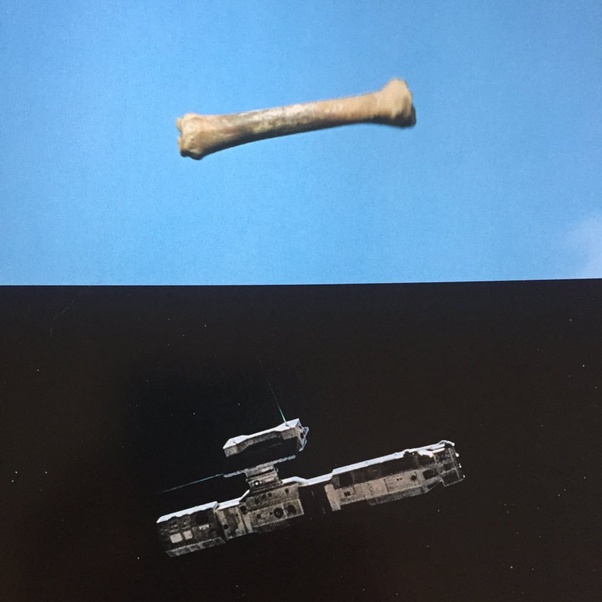
After this, our task was to start getting to grips with the more practical side of editing. For this to happen, we were firstly, told the basics of using Adobe Premier Pro, such as how to import and put clips on your timeline, to then using the software to edit demo clips of a film together. After we had practice using Adobe Premier Pro on test footage, we then edited together the video we filmed when doing the cinematography session, where we had to film a delivery.
2. What have you learnt?
One aspect that I didn’t really know a lot about before this session was the different types of edits an editor can make when joining two clips together. For example, one type of edit is to cut on action, which is when the editor cuts from one shot to another while the subject is still in motion, which allows the cut to feel much more natural. Another example would be the J-Cut which is where the audio from the next scene is heard before you get to it, which once again creates a seamless flow from one scene to the other.
While I already knew how to use Adobe Premier Pro quite well due to previous experience, something that I learnt while editing clips together in the session, was to be a bit more unconventional. This is because, when me and the other person in my group were choosing what clips to put together, we were trying to put them in sequence. However, after being given advice from Daren Eagles we learnt you don’t always have to edit something in sequence. For example it may be much more interesting if two story lines were played out side by side.
3. How have you worked with others?
Within the session where we were using Adobe Premier Pro software, we had to work in groups of 2. This was good as before I normally thought editing was quite a isolated role within film production, however through working with someone else I realised it can be much more collaborative. For example, sometimes we’d give suggestions to each other, that when tested out they made the clips flow much nicer, such as when I suggest that we make a cut when one character touches the other on the shoulder.
4. What do you need to develop?
One thing me and my group needs to develop is making sure we have a large variety of shots when we come to film our short-film. This is because, when using our test footage that we filmed when learning how to do cinematography, we realised that we only really had one type of shot (from on top of a tripod) which meant that the film wasn’t really that visually interesting, and that we didn’t have a lot to work with. Therefore on shoot day, me and my group should make sure that after we capture our master shot, we should also film clips from other possible angels that I could then edit into the film, such as an extreme close-up or an establishing shot of the location. This would really help me when I come to edit as it would mean that I wouldn’t be restricted on choosing how to present the scene.
 BFI Film Academy